-->
Visualizzazione post con etichetta Ubuntu Derivate. Mostra tutti i post

Ubuntu Budgie 26.04 si presenta ufficialmente.

Ubuntu Budgie 26.04 “si presenta”

Ubuntu Budgie 26.04 LTS arriva come nuova versione stabile della famiglia Ubuntu, portando un desktop più moderno, fluido e aggiornato.

È un “debutto” importante perché:

  • aggiorna il sistema alla base 26.04 LTS
  • introduce miglioramenti grafici e di prestazioni
  • continua la transizione verso Wayland
  • mantiene la filosofia: bello, semplice e leggero

In sintesi

Ubuntu Budgie 26.04 non cambia identità, ma:

  • si mostra più maturo
  • più moderno
  • più stabile

Un “ingresso in società” in versione Linux sarebbe proprio questo: elegante, aggiornato e pronto per il pubblico.


Ecco le novità principali di Ubuntu Budgie 26.04 LTS in modo chiaro e aggiornato


Ubuntu Budgie 26.04 LTS – novità

Ubuntu Budgie 26.04 LTS è la nuova versione a supporto lungo basata su Ubuntu 26.04, con focus su modernizzazione, stabilità e miglioramenti del desktop Budgie.


Novità principali

⚙️ 1. Base aggiornata

  • Nuovo kernel Linux 7.x
  • Desktop Budgie 10.10+ aggiornato
  • Stack software più moderno

Sistema più attuale e compatibile con hardware recente.


2. Transizione a Wayland

  • Miglior supporto a Wayland
  • Riduzione della dipendenza da X11
  • Maggiore sicurezza e fluidità grafica

Passo importante verso il futuro del desktop Linux.


⚡ 3. Prestazioni migliorate

  • Avvio più veloce
  • Minore uso di RAM
  • Desktop più reattivo

Mantiene il suo equilibrio tra leggerezza e funzionalità.


4. Interfaccia più rifinita

  • Tema più moderno
  • Applet migliorati
  • Maggiore coerenza grafica

Nessun redesign radicale, ma un miglioramento estetico continuo.


5. Stabilità LTS

  • Supporto fino al 2029
  • Aggiornamenti di sicurezza a lungo termine
  • Sistema pensato per uso quotidiano affidabile

6. Software aggiornato

  • Browser e app principali aggiornati
  • LibreOffice e strumenti di sistema recenti
  • Migliorie generali al sistema base

In sintesi

✔️ più moderno e aggiornato
✔️ più fluido e stabile
✔️ transizione verso Wayland
✔️ sempre basato su filosofia semplice e leggera
❗ evoluzione, non rivoluzione


Conclusione

Ubuntu Budgie 26.04 è ideale se vuoi:

  • un sistema elegante e moderno
  • ⚡ buone prestazioni senza appesantire
  • stabilità a lungo termine (LTS)
  • ️ un desktop equilibrato tra leggerezza e design

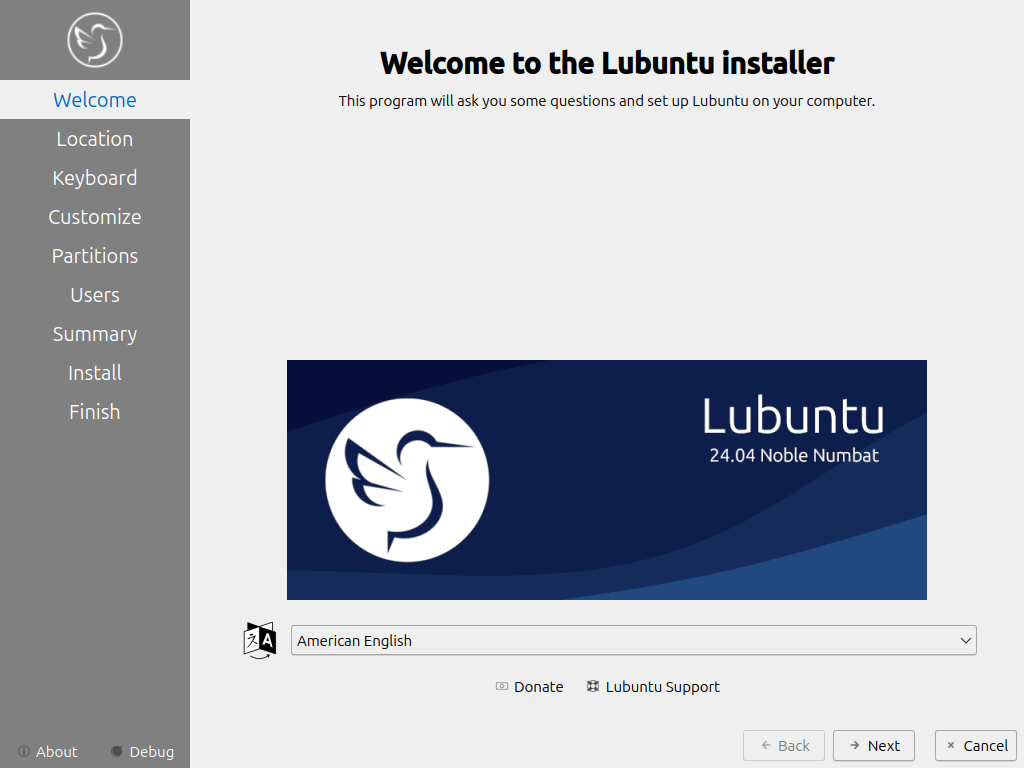
Lubuntu la distro piú leggera di Canonical lanza la versione 26.04

../../_images/welcome_installer.png


Ecco tutto su Lubuntu 26.04 LTS:


Lubuntu 26.04 LTS (Canonical) – novità

Lubuntu 26.04 LTS è la nuova versione ufficiale della distro leggera della famiglia Ubuntu, sviluppata da Canonical.

È pensata per essere la versione più leggera e veloce dell’ecosistema Ubuntu.


Novità principali

⚡ 1. Sempre leggerissima, ma più moderna

  • Basata su Ubuntu 26.04 LTS
  • Desktop aggiornato LXQt 2.3
  • Migliori prestazioni su PC vecchi e nuovi

Rimane la distro ideale per hardware poco potente.


2. Base tecnologica aggiornata

  • Nuove librerie Qt 6
  • Sistema più moderno sotto il cofano
  • Maggiore compatibilità con hardware recente

3. Interfaccia migliorata

  • Menu “Fancy Menu” più moderno
  • Nuovo sistema di temi (Kvantum)
  • Aspetto più pulito e coerente

Non cambia radicalmente, ma è più curata e moderna.


4. Sicurezza e sistema aggiornato

  • Componenti di sistema modernizzati
  • Alcune utility riscritte in Rust (più sicurezza e stabilità)
  • Maggior attenzione alla protezione del sistema

⚡ 5. Prestazioni

  • Consumo di RAM ancora più basso
  • Avvio più rapido
  • Migliore fluidità generale anche su PC vecchi

6. Cambiamenti minori

  • Rimosso qualche gioco/app non più mantenuta
  • Nuovi sfondi e miglioramenti estetici

7. Supporto LTS

  • Supporto ufficiale fino al 2029

In sintesi

Lubuntu 26.04 LTS è:

✔️ la versione più leggera della famiglia Ubuntu
✔️ più moderna (LXQt 2.3 + Qt 6)
✔️ più sicura e stabile
✔️ perfetta per PC vecchi o poco potenti
❗ meno completa rispetto a Ubuntu standard


Conclusione

  • ️ PC vecchio → Lubuntu è la scelta migliore
  • ⚡ vuoi velocità e leggerezza → perfetto
  • uso base (internet, documenti, video) → ideale

Ubuntu 25.10 è ora disponibile. Novità e download per tutte le versioni ufficiali.

Ubuntu 25.10

Oggi è il 9 novembre e Canonical ha rilasciato Ubuntu 25.10 . Sebbene ogni volta che sentiamo la parola "Ubuntu" pensiamo a un sistema operativo, in realtà è la base per la versione principale con GNOME e le altre versioni, sia ufficiali che non ufficiali (come Linux Mint). Questo articolo discute le versioni ufficiali, che sono in totale undici.

Abbiamo pubblicato questo articolo non appena l'immagine ISO della versione principale è stata disponibile per il download. Altre versioni, come Edubuntu, Kubuntu e Lubuntu, erano già disponibili ore prima. Questo post verrà aggiornato con informazioni non appena ne saremo a conoscenza, comprese eventuali novità rilasciate da una delle versioni ufficiali. Ecco i punti salienti di ogni versione.

Notizie generali sulla famiglia dei Quokka in cerca di cibo

Come abbiamo detto, tutte le versioni ufficiali sono "Ubuntu" e condividono la stessa base, a meno che una di esse non decida di non adottarne una, il che non è molto comune. L'elenco generale delle nuove funzionalità sarebbe il seguente:

  • Supportato per 9 mesi, fino a luglio 2026.
  • Linux 6.17 . Non posso confermare se la versione inclusa subito sia una Release Candidate, ma non dovrebbe esserlo perché la versione stabile è disponibile da 10 giorni.
  • Dracut sostituisce initramfs-tools come generatore initramfs predefinito.
  • Miglioramenti al supporto di avvio ARM64, con l'aggiunta di uno stub UEFI minimo "stubble" per migliorare la compatibilità di avvio.
  • sudo ora è sudo-rs, un'implementazione predefinita di Rust. La versione tradizionale rimane disponibile per compatibilità.
  • LibreOffice 25.8.
  • Viene introdotto Ubuntu Insights , che sostituisce Ubuntu Report per raccogliere metriche di sistema (senza dati personali) e richiede il consenso esplicito dell'utente.
  • Pacchetti aggiornati alle versioni più recenti, tra cui:
    • GCC 15.2.
    • glibc 2.42.
    • Binutils 2.45.
    • LLVM 20.
    • Ruggine 1,85.
    • Vai 1.24.
    • OpenJDK 25.
    • Python 3.13.7.
    • OpenSSL 3.5.
    • Tabella 25.2.
    • APT 3.1.
    • systemd 257.9.
    • PipeWire 1.4.7.
    • BlueZ 5.83.
    • Gstreamer 1.26.6.
    • Power Profiles Daemon 0.30.

Ed eccoci qui con le novità e i download (dal pulsante) di ogni versione.

Ubuntu 25.10: Nuove funzionalità oltre il desktop

Ubuntu 25.10

Oltre alle modifiche condivise, Ubuntu 25.10 include la nuova funzionalità più importante del desktop GNOME 49 , tra cui un file manager aggiornato con una finestra di ricerca ridisegnata e più funzionale. Le icone dei tipi di file ora presentano un sottile bordo tratteggiato che le rende più facili da distinguere durante l'interazione. Inoltre, è stata aggiunta una nuova scorciatoia: Ctrl+ ., che apre la cartella corrente direttamente nel terminale.

La schermata di blocco acquisisce importanza grazie al supporto per il protocollo MPRIS , che mostra un widget con controlli multimediali durante la riproduzione di contenuti. È inoltre presente un menu di accessibilità , che offre più opzioni senza dover effettuare l'accesso.

La modalità "Non disturbare" è stata spostata nelle impostazioni rapide nella barra delle applicazioni, mentre l' app Impostazioni presenta un'interfaccia più pulita e coerente. Anche le animazioni di sistema sono state migliorate, migliorando la fluidità complessiva.

Tra le modifiche all'applicazione, Ptyxis diventa il nuovo terminale predefinito e Loupe assume il ruolo di visualizzatore di immagini predefinito. Infine, X11 scompare come server grafico primario , consolidando la transizione finale a Wayland .

Kubuntu 25.10: Addio a X11 con una mossa rischiosa

Kubuntu 25.10

Il team di Kubuntu ha lavorato duramente per rilasciare la versione 25.10 con l'ultima novità dell'ecosistema KDE: Plasma 6.4 , interamente basato su Qt 6. Questa è la quinta versione principale della serie 6, una versione che perfeziona ulteriormente la transizione alla prossima generazione del desktop KDE.

Di default, il sistema si avvia con Plasma Wayland , rafforzando il passaggio a un ambiente moderno ed efficiente. Chi preferisce il classico X11 può continuare a utilizzarlo senza complicazioni semplicemente installando il pacchetto plasma-session-x11.

Kubuntu 25.10 include Qt 6.8 e KDE Frameworks 6.17.0 , garantendo la compatibilità con le più recenti tecnologie del framework KDE. Tuttavia, il supporto per le applicazioni più vecchie basate su Qt5 e Frameworks 5 rimane invariato, con le versioni Qt 5.15.17 e KDE Frameworks 5.116.0 disponibili nei repository.

Tutte le applicazioni della suite KDE Gear incluse nei repository Ubuntu o Debian sono state aggiornate almeno alla versione 25.08 , garantendo coerenza, stabilità e accesso agli ultimi miglioramenti dell'ecosistema KDE.

Lubuntu 25.10, un aggiornamento nell'ambiente più leggero

Lubuntu 25.10

La novità più importante di Lubuntu 25.10 è il passaggio a LXQt 2.2, il desktop di cui abbiamo parlato ad aprile di quest'anno . Inoltre, alcuni pacchetti sono stati aggiornati, come

  • Qt 6.8.3
  • LibreOffice 25.8
  • VLC 3.0.21
  • Featherpad 1.6.2
  • Scopri Software Center 6.4.5
Xubuntu 25.10 rimane su Xfce 4.20 mentre recupera

Xubuntu 25.10

La versione di Ubuntu basata su Xfce utilizza Xfce, ovviamente, ma anche componenti di altri desktop. In Questing Quokka, Xubuntu utilizza Xfce 4.20, una versione con gli ultimi aggiornamenti, miglioramenti di stabilità e un maggiore supporto per Wayland. Inoltre, molte applicazioni provengono direttamente da GNOME 49 e MATE 1.26.

Ubuntu Budgie 25.10, ultima tappa verso Wayland

Ubuntu Budgie 25.10

Lo sviluppo di questa versione si è concentrato sulla transizione a un ambiente basato su Wayland , un cambiamento che sarà completato nella versione 26.04 con Budgie Desktop 10.10 , che sarà esclusivamente Wayland. Per ora, Budgie 25.10 continua a utilizzare Xorg , sebbene gli utenti possano provare Wayland tramite un PPA.

Tra i miglioramenti più degni di nota:

  • È incluso Budgie Desktop 10.9.3 , che supporta GNOME 49 e con nuove chiavi specifiche in gsettings , che ti obbligano a riconfigurare le chiavi personalizzate.
  • Il Budgie Control Center è stato aggiornato, mantenendo la compatibilità con le tavolette Wacom nonostante le modifiche a GNOME.
  • Il nuovo compositore sarà basato su wlroots (labwc) , leggero e veloce, con un'integrazione perfetta delle modifiche di GNOME.
  • Anche Wayfire e Mir sono stati testati come alternative sperimentali.
  • Il vecchio gnome-screensaver non c'è più , sostituito da swaylock (o gtklock per chi preferisce lo stile classico).
  • Diversi applet ufficiali e di terze parti funzionano già con Wayland.
  • I temi Pocillo e QogirBudgie sono stati completamente adattati a Snaps , migliorando l'integrazione visiva.
  • Lo sfondo e l'app di benvenuto sono stati aggiornati, ora includendo impostazioni specifiche per "Questing".
Ubuntu MATE 25.10

Ubuntu MATE 25.10

In attesa di conoscere l'elenco delle nuove funzionalità.

Ubuntu Studio 25.10 introduce la barra in stile macOS e aggiorna il suo metapacchetto per i creatori di contenuti

Ubuntu Studio 25.10

Ubuntu Studio 25.10 è ricco di miglioramenti volti a rendere l'esperienza più confortevole e potente sia per i creatori di contenuti che per gli utenti abituali. Tra le modifiche più evidenti c'è un layout opzionale in stile macOS , con dock inferiore e menu globale, progettato per chi desidera una transizione più familiare. Inoltre, le impostazioni audio sono state ampliate, offrendo nuove opzioni per personalizzare l'esperienza sonora.

Nel settore musicale, le novità più importanti includono l'aggiunta di JackTrip , che consente di collegare graficamente l'audio tra più dispositivi per la collaborazione remota, e il ritorno di IDJC (Internet DJ Console) dopo anni di assenza. Sono stati inoltre aggiunti numerosi plugin audio e sintetizzatori , e sono stati aggiornati strumenti essenziali come PipeWire 1.4.7 , Audacity 3.7.5 e Carla 2.5.10 , garantendo un flusso di lavoro più stabile e moderno.

Anche il reparto grafica e fotografia non è da meno. GIMP 3.0.4 , Krita 5.2.11 e Inkscape 1.4.2 offrono un ambiente potente per l'editing delle immagini, mentre digiKam 8.7.0 rimane il punto di riferimento per la gestione delle foto. Sono disponibili anche nuove applicazioni come Photocollage e PicPlanner , che ampliano le possibilità creative degli utenti.

Per i video, KDEnlive 25.08.1 e Freeshow 1.4.9 garantiscono un flusso di lavoro di editing più raffinato ed efficiente.

Per quanto riguarda l' ambiente desktop , Ubuntu Studio 25.10 è basato su KDE Plasma 6.4.5 , accompagnato da KDE Frameworks 6.17 , Qt 6.8.3 e KDE Gear 25.08.1 , offrendo un desktop moderno, veloce e coerente con le ultime tecnologie KDE.

Tra i pacchetti multimediali più rilevanti ci sono Blender 4.3.2, Krita 5.2.11, GIMP 3.0.4, Ardour 8.12.0, Scribus 1.6.3, Darktable 5.0.1, Inkscape 1.4.2, Carla 2.5.10, OBS Studio 30.2.3, MyPaint 2.0.1, Audacity 3.7.5 e KDEnlive 25.08.1, che offrono una suite completa per i creatori.

Edubuntu 25.10 aggiorna il desktop e aggiunge altri giochi per l'apprendimento.

Edubuntu 25.10

Non ci sono molte novità da evidenziare in Edubuntu 25.10, poiché si tratta sostanzialmente della versione principale con i metapacchetti didattici. Le app e il desktop sono stati aggiornati, utilizzando lo stesso GNOME 49 della versione principale. Inoltre, sono stati aggiunti più giochi didattici e Thunderbird è ora il client di posta elettronica preferito, in sostituzione di Geany.

Ubuntu Unity 25.10

Ubuntu Unity 25.10

In attesa dell'elenco delle nuove funzionalità e del link per il download, che non è ancora stato pubblicato.

Ubuntu Cinnamon 25.10 passa a Cinnamon 6.4

Ubuntu Cinnamon 25.10

Ubuntu Cinnamon 25.10 include l'ultima versione della serie Cinnamon 6.4 , che apporta miglioramenti e stabilità al desktop. Questa versione include Cinnamon 6.4.12 , Cinnamon Control Center 6.4.1 , Screensaver 6.4.0 , Cinnamon Session 6.4.1 , CJS 128 , mozjs 128 , Settings Daemon 6.4.3 , Muffin 6.4.1 e Nemo 6.4.5 , oltre all'integrazione con XDG Desktop Portal (XApp) 1.1.2 , offrendo un ambiente moderno, coerente e affidabile per gli utenti Cinnamon.

Altre applicazioni degne di nota includono GNOME Calculator 48.0.2 , GNOME Calendar 48.1 , GNOME Screenshot 41 , Evince 48.0 , gedit 48.1 , gThumb 3.12.7 , Rhythmbox 3.4.8 , Deja Dup 49 , File Roller 44.5 , LibreOffice 25.8.1 e Simple Scan 48.1 , che costituiscono una suite software aggiornata e pronta per l'uso quotidiano.

Anche l'esperienza visiva riceve attenzione: il tema Yaru-Cinnamon è stato aggiornato, offrendo un aspetto più curato e moderno, grazie al lavoro della community e di sviluppatori come Initu Castilhos .

Ubuntu Kylin 25.10 arriva con Ukui 4.0

Ubuntu Kylin 25.10

Ubuntu Kylin 25.10 utilizza UKUI 4.0 come ambiente grafico e ha aggiornato le applicazioni per renderle più recenti. Ci dispiace non poter dire di più su questa versione ufficiale, ma tutto ciò che è importante è in cinese. Hanno un sito web in inglese , ma non viene aggiornato con la stessa frequenza.

Goditi Ubuntu 25.10, qualunque sia la versione che scegli.

Ora è il momento di sfruttare tutte le novità di Ubuntu 25.10, qualunque sia la versione che stai utilizzando. Buon divertimento!

Il nome in codice di Ubuntu 22.04 sará "Jammy Jellyfish" con supporto LTS, è il turno della medusa.

 Il nuovo nome è stato pubblicato su Launchpad, casa dello sviluppo di Ubuntu, come è tradizione. Ma cosa ci dice il nome in codice? Possiamo ricavare qualcosa da questo moniker dalla mentalità mercuriale?

 La parola 'jammy' è usata informalmente nel Regno Unito per significare molto fortunato o molto buono

Jammy è un aggettivo interessante. In senso lato significa essere pieno di marmellata (ciò che gli americani chiamano jelly) o qualcosa che ha la consistenza della marmellata. 

Ma la parola 'jammy' è anche usata informalmente nel Regno Unito per indicare qualcuno o qualcosa che è molto fortunato o fortunato, ad esempio, "quel gatto jammy aveva un piatto extra di latte!

Il nome in codice di Ubuntu 22.04 sará "Jammy Jellyfish" 


Jellyfish (Medusa) è "una creatura marina con un corpo come la gelatina e lunghe parti sottili chiamate tentacoli che possono dare una puntura acuta, secondo l'Oxford Dictionary.
Ubuntu 22.04 LTS è la prossima release di supporto a lungo termine di Ubuntu e dovrebbe essere rilasciata nell'aprile 2022. La pianificazione per il rilascio è ora in corso, ma non si sa (ancora) molto su ciò che Canonical ha in mente.

Possiamo supporre che sarà caratterizzato da un nuovo kernel, nuovi driver grafici e una serie di applicazioni aggiornate. Il desktop sarà GNOME 41 (o successivo); Firefox sarà disponibile solo come app Snap, con la build repo ritirata; e il nuovo installer di Ubuntu basato su Flutter potrebbe essere predefinito.

Ciclo di vita di Ubuntu 22.04 "Jammy Jellyfish"


Ecco le poche date stabilite per il ciclo di vita di Ubuntu 22.04 LTS Jammy Jellyfish.

    Ottobre 2021: Sviluppo iniziato
    24 febbraio 2021: Congelamento delle caratteristiche
    31 marzo 2021: Rilascio beta previsto
    14 aprile 2021: Congelamento finale e uscita della versione candidata al rilascio.
    21 aprile 2021: Rilascio finale di Ubuntu 2022
    Aprile 2027: Fine del supporto della release


Canonical rilascia Ubuntu Budgie 21.10 "Impish Indri" con una nuovissima versione del desktop Budgie.

Ubuntu Budgie è un'edizione comunitaria della famiglia Ubuntu con l'ambiente desktop Budgie.

Il progetto ha pubblicato Ubuntu Budgie 21.10 che offre nove mesi di supporto.

Il rilascio di Ubuntu Budgie 21.10 "Impish Indri".

 "Siamo lieti di annunciare il rilascio della prossima versione della nostra distro, la 21.10. Questo è un rilascio regolare supportato per 9 mesi. Per coloro che cercano una release di supporto a più lungo termine, raccomandiamo la nostra versione 20.04 LTS che è supportata per tre anni. Punti salienti: rilascio della nostra seconda immagine di Raspberry Pi.

In evidenza.

Nuovissima versione del desktop Budgie - fate attenzione al nostro layout opzionale di Windows 11; il nostro Window Shuffler ora sposta e riorganizza automaticamente le finestre su più monitor e spazi di lavoro; fate attenzione alla nostra applet Window Shuffler Budgie; una nuova applet - budgie-cputemp-applet; una massa di nuove funzionalità, modifiche e correzioni in tutte le nostre applet Budgie; applicazioni GNOME 40 e GNOME 41. Ereditiamo anche centinaia di miglioramenti alla stabilità, correzioni di bug e ottimizzazioni apportate ai repository Ubuntu sottostanti".

 Ulteriori dettagli possono essere trovati nell'annuncio di rilascio del progetto e nelle note di rilascio.

 Download.

 Download (SHA256): ubuntu-budgie-21.10-desktop-amd64.iso (3,047MB, torrent, signature, pkglist).

Canonical rilascia Ubuntu Studio 21.10 "Impish Indri" con il tema Materia e le icone Papirus.

Ubuntu Studio è un'edizione comunitaria di Ubuntu con il desktop KDE Plasma e incentrata sulla produzione audio e video.

 L'ultimo rilascio del progetto è la versione 21.10 che sarà supportata per nove mesi. "Il team di Ubuntu Studio è lieto di annunciare il rilascio di Ubuntu Studio 21.10, nome in codice 'Impish Indri'. 

Questo segna il 30° rilascio di Ubuntu Studio. 

Questo rilascio è un rilascio regolare e come tale, è supportato per nove mesi, fino a luglio 2022.


Il rilascio di Ubuntu Studio 21.10 "Impish Indri"

A causa del cambiamento dell'ambiente desktop che è iniziato dopo il rilascio della 20.04 LTS, gli aggiornamenti diretti dai rilasci supportati prima della 21.04 non sono supportati. Questo rilascio include Plasma 5.22.5, l'ambiente desktop completo realizzato da KDE. Utilizza il tema Materia e le icone Papirus. Studio Controls ha visto un ulteriore sviluppo come proprio progetto indipendente ed è stato aggiornato alla versione 2.2.7. 

In evidenza.

Questa versione ha un layout e caratteristiche completamente nuove, tra cui JACK over network e MIDI over network. Ardour è stato aggiornato alla versione 6.9 e include una tonnellata di bug fix e miglioramenti". Ulteriori informazioni possono essere trovate nell'annuncio di rilascio di Ubuntu Studio e nelle note di rilascio. Scarica: ubuntustudio-21.10-dvd-amd64.iso (4,180MB, SHA256, firma, torrent, pkglist).

 Download.

 ubuntustudio-21.10-dvd-amd64.iso (4,180MB, SHA256, signature, torrent, pkglist).

Canonical rilascia Kubuntu 21.10 "Impish Indri" con il 'bellissimo' KDE Plasma 5.22

Kubuntu è un'edizione comunitaria della famiglia Ubuntu che presenta il desktop KDE Plasma.

Il nuovo rilascio del progetto è Kubuntu 21.10 che offre nove mesi di supporto ed esegue il desktop KDE Plasma 5.22.

 Il rilascio di Kubuntu 21.10 "Impish Indri".

"Il team di Kubuntu è felice di annunciare che Kubuntu 21.10 è stato rilasciato, con il 'bellissimo' KDE Plasma 5.22: semplice per impostazione predefinita, potente quando necessario. Nome in codice 'Impish Indri', Kubuntu 21.10 continua la nostra tradizione di darvi Friendly Computing integrando le ultime e più grandi tecnologie open source in una distribuzione Linux di alta qualità e facile da usare. Il team ha lavorato duramente durante questo ciclo, introducendo nuove funzionalità e correggendo i bug.

In evidenza.

Sotto il cofano, ci sono stati aggiornamenti a molti pacchetti principali, tra cui un nuovo kernel basato su 5.13, KDE Frameworks 5.86, KDE Plasma 5.22 e KDE Gear 21.08". Ulteriori dettagli e uno screenshot possono essere trovati nell'annuncio di rilascio del progetto.

Download.

 kubuntu-21.10-desktop-amd64.iso (3,216MB, SHA256, signature, torrent, pkglist).

Ubuntu 21.10 nome in codice "Impish Indri" in arrivo il lemure targato Canonical.

Ubuntu 21.10 "Impish Indri" uscirà il 14/10/2021 ottobre e aggiornerà la versione GNOME, probabilmente a GNOME 41 che arriverà a settembre.

Va ricordato che negli ultimi due anni hanno rappresentato un cane da discoteca con le cuffie, un ermellino dell'est che non aveva niente di speciale, una fossa con gli occhi a fuoco, un guayón gorilla con occhiali da sole e un ippopotamo con i capelli. 

Ubuntu 21.10: Release Date

Ubuntu 21.10 Beta: Sept 23, 2021

Kernel Freeze: Sept 30, 2021

Release Candidate: Oct 7, 2021

L'origine del nome.

L'indri è la più grande tra le specie di lemuri esistenti. È endemico del Madagascar, nonché l'unica specie del genere Indri.

Lo si trova nelle aree di foresta pluviale lungo la costa orientale del Madagascar, dalla Riserva speciale di Anjanaharibe Sud al fiume Mangoro: gli indri sono tuttavia assenti dalla penisola di Masoala e dal parco nazionale di Marojejy, seppure questi ultimi distino dal loro areale meno di 40 km in linea d'aria.

Tra realtà e leggenda.

In realtà, in malgascio il termine "indri" è una corruzione di iry, che significa "guarda!" oppure "lì". Il naturalista francese Pierre Sonnerat, udendo un indigeno urlare "indri indri" mentre indicava un esemplare, pensò che si trattasse del nome dell'animale.

Il vero termine malgascio per designare l'indri è invece babakoto, che vuol dire sia "padre", "antenato", che (considerando le parole baba/padre e koto/bambino) "padre del ragazzo".

Una delle innumerevoli leggende che circolano su quest'animale, infatti, dice che l'uomo e l'indri erano padre e figlio (oppure due fratelli secondo altre versioni) e vivevano insieme nella foresta: un giorno, il figlio decise di andare sugli altipiani a coltivare la terra, divenendo il primo uomo. Da quel momento il padre, divenuto il primo indri e rimasto solo, piange ogni mattina il figliolo andato via.

Altre leggende indigene raccontano di un indri che salvò un ragazzino che stava precipitando da un alto albero a causa delle punture inflittegli dalle api mentre era in cerca di miele. 

fonte: Wikipedia

Guida all’installazione di Linux Mint: creare il dispositivo di avvio e avviare la distribuzione.

Linux Mint è una distribuzione GNU/Linux per personal computer, basata su Ubuntu.

Si focalizza sulla facilità d'uso e per la sua semplicità di installazione, ed utilizza sia repository propri sia quelli di Ubuntu.

Puoi scaricare Linux Mint da questa pagina.

Mentre il nucleo di Linux Mint è basato su Ubuntu, il design, alcune applicazioni ed in generale l'aspetto grafico sono sviluppate direttamente dal team di Linux Mint.

L'ultima versione stabile rilasciata è la 19.1 nome in codice "Tessa".

Linux Mint è una distribuzione GNU/Linux per personal computer, basata su Ubuntu.

Creare il dispositivo di avvio.

Il modo più facile di installare Linux Mint è utilizzare una penna USB.

Se non riesci ad avviare il computer dalla penna USB, puoi utilizzare un DVD vuoto.

Come creare una penna USB avviabile.

In Linux Mint
Clicca con il tasto destro sul file ISO e seleziona Rendi Avviabile Penna USB, o avvia Menu ‣ Accessori ‣ Scrittore di Immagine USB.
Come creare una penna USB avviabile.

Seleziona il tuo dispositivo USB e clicca Scrivi.

In altre distribuzioni Linux
Scarica Etcher, installalo e avvialo.
Etcher è uno strumento essenziale, semplice ma funzionale. 

Usando Etcher
Clicca Select image e seleziona il tuo file ISO.
Clicca Select drive e seleziona la tua penna USB.
Clicca Flash!.

Come creare un DVD avviabile.

I dischi ottici sono lenti e la masterizzazione può produrre errori.
Nota
Per evitare problemi, masterizza alla velocità più lenta disponibile.
Avvertimento
Masterizza il contenuto della ISO sul DVD, non il file ISO stesso. Alla fine, il tuo DVD dovrebbe contenere cartelle come boot e casper; non dovrebbe essere un DVD vuoto contenente solo un file ISO.

In Linux.
Installa e usa xfburn.

In macOS.
Fai clic destro sul file ISO e seleziona Masterizza immagine disco.

Avviare Linux Mint.

Ora che hai Linux Mint su una penna USB (o un DVD), avvia il computer da quest’ultima.
  1. Inserisci la tua penna USB (o il DVD) dentro il computer.
  2. Riavvia il computer.
  3. Prima che il tuo computer avvii il tuo sistema operativo attuale (Windows, macOS o Linux), dovresti vedere la schermata di caricamento del tuo BIOS. Controlla la schermata oppure la documentazione del tuo computer per sapere quale tasto premere per far avviare il computer dalla penna USB (o dal DVD).

Nota:
La maggior parte dei BIOS hanno un tasto speciale che puoi premere per selezionare il dispositivo dal quale eseguire l’avvio, e tutti i BIOS hanno un tasto speciale da premere per entrare nella schermata di configurazione (dalla quale puoi impostare l’ordine di avvio). A seconda del tuo BIOS, questi tasti speciali possono essere ESC, F1, F2, F8, F10, F11, F12, o CANC. Questa informazione di solito appare brevemente sullo schermo durante l’avvio.

Suggerimenti.


Se hai un computer Mac, tieni premuto il tasto Alt o Opzione dopo aver sentito il suono di avvio.
  1. La ISO di Linux Mint può essere avviata sia in modalità EFI sia BIOS. In modalità EFI mostrerà il menù GRUB. In modalità BIOS mostrerà il menù ISOLINUX.
Il menù ISOLINUX in modalità BIOS.

Il menù GRUB in modalità EFI


  1. Da uno di questi menù, premi Invio per avviare Linux Mint dalla tua penna USB (o DVD).

La puntualitá ha un nome: Canonical ecco Ubuntu 20.04 Focal Fossa e derivate ufficiali.

In sola sola oportunitá (nell’anno 2006, Ubuntu 6.06 Dapper Drake) Canonical ha prorogato il rilascio delle sue distribuzioni.

Ormai la puntualitá e la sicurezza è il marchio di fabbrica targato Canonical.


Rate this project
The Lubuntu team has announced the availability of Lubuntu 20.04, a long-term support (LTS) release. This release used the LXQt desktop (most previous releases used LXDE as the default desktop) and uses the Calamares system installer instead of the Ubiquity installer used by most other official Ubuntu editions. "This is the fourth Lubuntu release with LXQt as the main desktop environment. The Lubuntu project, in 18.10 and successive releases, will no longer support the LXDE desktop environment or tools in the Ubuntu archive, and will instead focus on the LXQt desktop environment. You can find the following major applications and toolkits installed by default in this release: LXQt 0.14.1. Qt 5.12.8 LTS. Mozilla Firefox 75, which will receive updates from the Ubuntu Security Team throughout the support cycle of the release. The LibreOffice 6.4.2 suite. VLC 3.0.9.2, for viewing media and listening to music. Featherpad 0.12.1, for notes and code editing. Discover Software Center 5.18.4, for an easy, graphical way to install and update software. The powerful and fast email client Trojita 0.7 to get you to inbox zero in no time." Further details can be found in the project's release announcement. Download: lubuntu-20.04-desktop-amd64.iso (1,668MB, SHA256, signature, torrent, pkglist).


Rate this project
Iain Lane has announced the release of Ubuntu 20.04, a new long-term support (LTS) version of the popular distribution. "The Ubuntu kernel has been updated to the 5.4 based Linux kernel, with additional support for Wireguard VPN, AUFS5, and improved support for IBM, Intel, Raspberry Pi and AMD hardware. Ubuntu Desktop 20.04 LTS features the latest version of the GNOME desktop environment, 3.36. Notable changes from 18.04 LTS include performance improvements, a new lock screen design, and support for fractional scaling under X11. 20.04 LTS also features a new look-and-feel: the Yaru theme, available in both light and dark variants. 20.04 LTS also brings support for installing an Ubuntu desktop system on top of ZFS. The latest version brings performance enhancements and optional encryption support. Zsys, Ubuntu’s ZFS system tool, provides automated system and user state saving. Tight integration with GRUB allows a user to revert to any system state on boot and go back in time to pave the way to a bulletproof Ubuntu Desktop." Further details can be found in the distribution's release announcement and in the release notes. Download (pkglist): ubuntu-20.04-desktop-amd64.iso (2,589MB, SHA256, signature, torrent), ubuntu-20.04-live-server-amd64.iso (908MB, SHA256, signature, torrent).


Rate this project
The Ubuntu Studio team has announced the release of Ubuntu Studio 20.04, a long-term support release which receives three years of security updates. "The Ubuntu Studio team is pleased to announce the release of Ubuntu Studio 20.04, code-named “Focal Fossa”. This marks Ubuntu Studio’s 27th release. This release is a Long-Term Support release and as such, it is supported for 3 years (until April 2023). Since it’s just out, you may experience some issues, so you might want to wait a bit before upgrading. Please see the release notes for a complete list of changes and known issues." The release announcement displays screenshots and offers upgrade instructions for existing users. It also lists new software available in this release, along with items which were removed from version 20.04, often due to Python 2 reaching the end of its supported life. Download: ubuntustudio-20.04-dvd-amd64.iso (3,424MB, SHA256, signature, torrent, pkglist).


Rate this project
The Kubuntu team has announced the release of Kubuntu 20.04. The new release features the KDE Plasma 5.18 desktop and offers three years of security updates. "The Kubuntu Team is happy to announce that Kubuntu 20.04 LTS has been released, featuring the beautiful KDE Plasma 5.18 LTS: simple by default, powerful when needed. Codenamed Focal Fossa, Kubuntu 20.04 continues our tradition of giving you Friendly Computing by integrating the latest and greatest open source technologies into a high-quality, easy-to-use Linux distribution. The team has been hard at work through this cycle, introducing new features and fixing bugs. Under the hood, there have been updates to many core packages, including a new 5.4-based kernel, KDE Frameworks 5.68, Plasma 5.18 LTS and KDE Applications 19.12.3. Kubuntu has seen many updates for other applications, both in our default install, and installable from the Ubuntu archive." Further details can be found in the project's release announcement and in the release notes. Download: kubuntu-20.04-desktop-amd64.iso (2,244MB, SHA256, signature, torrent, pkglist).


Rate this project
Martin Wimpress has announced the release of Ubuntu MATE 20.04. The new release, which will receive three years of support, ships with version 1.24 of the MATE desktop and introduces a firmware update tool called fwupd. "Those of you who follow the desktop Linux news will know that upstream MATE Desktop recently released version 1.24. Ubuntu MATE 20.04 is shipping with MATE Desktop 1.24. Thus, all of the improvements in MATE Desktop 1.24 are present in Ubuntu MATE 20.04 LTS. Since the last LTS we worked on the following: added multiple coloured theme variations as one-click installs for those of you who simply don't like Chelsea Cucumber; added experimental ZFS install option; added GameMode from Feral Interactive; fixed several crashers in Brisk Menu and added keyboard navigation; fixed panel layout switching which is now stable and reliable via MATE Tweak Tweak and Ubuntu MATE Welcome; fixed rendering window controls on HiDPI displays; fixed irregular icon sizes in MATE Control Center and made them render nicely on HiDPI displays." Further details on the new version can be found in the release notes. Download: ubuntu-mate-20.04-desktop-amd64.iso (2,217MB, SHA256, signature, torrent, pkglist).


Rate this project
Ubuntu Kylin 20.04, an official Ubuntu edition customised for the users in China, has been released. This release comes with an updated version of the UKUI desktop environment (a fork of MATE): "The Ubuntu Kylin team is pleased to announce the official release of Ubuntu Kylin's open-source operating system, version 20.04 LTS (code-named 'Focal Fossa'). Ubuntu Kylin 20.04 is the fourth long-term support (LTS) version and it offers 3 years of technical support. The new version of Ubuntu Kylin 20.04 LTS comes with the new UKUI 3.0 desktop environment preview and it supports x86 and arm64 architectures, which further optimizes the 4K HD display effect and application component stability. The new Kirin cloud account function unifies the identity authentication of all platforms and provides users with the cloud synchronization function. It also fixes 539 known issues, such as the inability of the taskbar to preview minimized apps and a file manager memory leak." See the release announcements (in Simplified Chinese or in English) for further information and screenshots. Download: ubuntukylin-20.04-desktop-amd64.iso (2,186MB, SHA256, signature, torrent, pkglist).


Rate this project
Yousuf Philips has announced the release of Xubuntu 20.04, the latest stable version from the project that develops an official Ubuntu spin with Xfce as the preferred desktop: "The Xubuntu team is happy to announce the immediate release of Xubuntu 20.04. Xubuntu 20.04, code-named 'Focal Fossa', is a long-term support (LTS) release and will be supported for three years, until April 2023. The Xubuntu team has been hard at work for the last six months of this development cycle improving both the Xfce desktop environment and the Xubuntu user experience following our 19.10 release, which introduced Xfce 4.14 for the first time. We were thrilled by the response to the Ubuntu testing week which helped us make 20.04 another great and stable release. Highlights: a brand-new dark theme, Greybird-dark, has been added, complementing the default Greybird theme; six community wallpapers are bundled from winners of the Community Wallpaper Contest; with the end of life of Python 2, we no longer ship it by default, while apt-offline and pidgin-libnotify are no longer included." Read the rest of the release announcement for further information and known issues. Download: xubuntu-20.04-desktop-amd64.iso (1,586MB, SHA256, signature, torrent, pkglist).


Rate this project
To conclude the much-awaited Ubuntu LTS release day, here is David Mohammed's announcement of the release of Ubuntu Budgie 20.04: "We are pleased to announce the release of the new version of our distribution, our second long-term support (LTS) release as an official flavor of the Ubuntu family. This LTS build is supported for three years while the regular releases are supported for 9 months. The new version rolls-up various developments, fixes and optimizations that have been released since the 18.04 LTS release in April 2018: stylish menu applet; Budgie-based network manager applet; Window Shuffler - a keyboard-friendly tiling CTRL+ALT+keypad numbers; the currently focussed window can be tiled to each corner, side to side or maximized and unmaximized all from the keyboard; desktop layouts - choose your default desktop layout with one click; 4K resolution Budgie desktop and Budgie applet support; GNOME Firmware and Drawing are the new default applications; Ubuntu Budgie team wallpapers for 20.04...." See the full release announcement for a complete list of new features. Download: ubuntu-budgie-20.04-desktop-amd64.iso (2,084MB, SHA256, signature, torrent, pkglist).

Rilasciata Ubuntu 18.04 LTS Bionic Beaver che sarà supportata fino ad aprile 2023.

Rilasciata Ubuntu 18.04 "Bionic Beaver" LTS, download e principali novità della nuova versione che sarà supportata fino ad aprile 2023.

Disponibile nelle edizioni Desktop, Server e Cloud.

Canonical ha appena rilasciato l'ultima versione Long Term Support (LTS) di Ubuntu, una delle distribuzioni Linux più utilizzate in assoluto.
ubuntu-beaver
Ubuntu 18.04 LTS "Bionic Beaver.


Rilasciata Ubuntu 18.04 "Bionic Beaver" LTS.

Nota anche come Bionic Beaver, Ubuntu 18.04 LTS solidifica alcuni cambiamenti principali effettuati su Ubuntu 17.10, come ad esempio l'uso dell'ambiente desktop GNOME al posto dell'ormai defunto Unity utilizzato fino ad ora nella precedente versione LTS del sistema operativo. La 18.04 LTS sostituisce Ubuntu 16.04 LTS.

Approfondimenti sulla nuova versione.

Per approfondimenti sulla nuova versione vi consigliamo di leggere:


Download.


Adam Conrad has announced the availability of Ubuntu 18.04 "Bionic Beaver". The new version is a long term support (LTS) release featuring the GNOME Shell desktop and version 4.15 of the Linux kernel. "The Ubuntu team is very pleased to announce our seventh long-term support release, Ubuntu 18.04 LTS for Desktop, Server, Cloud, and Core. Codenamed "Bionic Beaver", 18.04 LTS continues Ubuntu's proud tradition of integrating the latest and greatest open source technologies into a high-quality, easy-to-use Linux distribution. The team has been hard at work through this cycle, introducing new features and fixing bugs. The Ubuntu kernel has been updated to the 4.15 based Linux kernel, with additional support for Linux security module stacking, signing of POWER host and NV kernels, and improved support for IBM and Intel hardware enablement from Linux 4.16. Ubuntu Desktop 18.04 LTS brings a fresh look with the GNOME desktop environment. GNOME Shell on Ubuntu is designed to be easy to use for people upgrading from 16.04 LTS and presents a familiar user interface. New features for users upgrading from 16.04 LTS include assistance with logging in to public Wifi hotspots and the Night Light feature to reduce eye strain in the evenings." Further details can be found in the release announcement and in the release notes. Download (pkglist): ubuntu-18.04-desktop-amd64.iso (1,832MB, SHA256, signature, torrent), ubuntu-18.04-live-server-amd64.iso (806MB, SHA256, signature, torrent).


The Ubuntu Studio team has published version 18.04 of their distribution. While Ubuntu Studio shares packages with Ubuntu 18.04 LTS, this release is not a long term support (LTS) version and offers support for nine months. The distribution's release announcement states: "We are happy to announce the release of our latest version, Ubuntu Studio 18.04 Bionic Beaver! Unlike the other Ubuntu flavors, this release of Ubuntu Studio is not a Long-Term Support (LTS) release. As a regular release, it will be supported for 9 months. Although it is not a Long-Term Support release, it is still based on Ubuntu 18.04 LTS which means the components will be supported as usual for a LTS release. Since it's just out, you may experience some issues, so you might want to wait a bit before upgrading. Please see the release notes for a complete list of changes and known issues." Further details can be found in the project's release notes. Download: ubuntustudio-18.04-dvd-amd64.iso(2,890MB, SHA256, signature, torrent, pkglist).


Version 18.04 of Xubuntu, an Ubuntu variant that ships with the popular Xfce desktop, is now ready for download: "The Xubuntu team is happy to announce the immediate release of Xubuntu 18.04. Xubuntu 18.04 is a long-term support (LTS) release and will be supported for 3 years, until April 2021. Highlights: some GNOME applications are replaced with corresponding MATE applications for improved consistency with almost identical set of features; the Sound Indicator plugin is replaced with the Xfce PulseAudio plugin in the panel, improving the control of volume and multimedia applications from the panel; the new xfce4-notifyd panel plugin is included, allowing users to easily toggle 'do not disturb' mode for notifications as well as view missed notifications; significantly improved menu editing with a new MenuLibre version; better support for HiDPI screens, better consistency and other improvements from the Greybird GTK+ theme." Read the release announcement and release notes for a detailed list of changes and known issues. Download: xubuntu-18.04-desktop-amd64.iso (1,361MB, SHA256, signature, torrent, pkglist).

Rilasciata Ubuntu 18.04 LTS Bionic Beaver, ecco tutti i download e nuove funzionalità.Twitta


Kubuntu 18.04, an official Ubuntu flavour that features the powerful and customisable KDE Plasma 5 desktop, has been released. The new version introduces a number of notable changes, such as an updated theme, new video and music players, and extensive software upgrades throughout the system: "The Kubuntu Team is happy to announce that Kubuntu 18.04 LTS has been released, featuring the beautiful KDE Plasma 5.12 LTS - simple by default, powerful when needed. The team has been hard at work through this cycle, introducing new features and fixing bugs. Under the hood, there have been updates to many core packages, including a new 4.15-based kernel, KDE Frameworks 5.44, Plasma 5.12 LTS and KDE Applications 17.12.3. We've made some notable changes since 16.04 LTS. VLC is the default media player and Cantata Qt5 the default music player. Muon is now shipped by default for those who prefer a package manager as an alternative to the Plasma Discover software store. See the release announcement and release notes for additional details. Download: kubuntu-18.04-desktop-amd64.iso (1,781MB, SHA256, signature, torrent, pkglist).


David Mohammed has announced the release of Ubuntu Budgie 18.04, a desktop Linux distribution featuring the refreshingly simple Budgie desktop that aims to provide a "familiar, modern and functional experience": "We are pleased to announce the release of a new version of our distribution, the third as an official flavor of the Ubuntu family and our very first LTS. The LTS version is supported for 3 years while the regular releases are supported for 9 months. Based on 17.10 experiences, feedback and suggestions we have received from our users, the new release comes with a lot of new features, fixes and optimizations. Here is what you can expect with the new release: more customisation options via Budgie Welcome; lots more Budgie applets available to be installed; dynamic workspaces, hot-corners and Window shuffler; brand-new GTK+ theme called Pocillo; new applets as standard in the panel or available to be added via Budgie Settings." Here is the short release announcement with links to much more detailed release notes and screenshots. Download: ubuntu-budgie-18.04-desktop-amd64.iso (1,524MB, SHA256, signature, torrent, pkglist).

Leggi anche: Roadmap, upgrade e tutte le principali novità in arrivo per Ubuntu 18.04 “Bionic Beaver”.


Martin Wimpress has announced the release of Ubuntu MATE 18.04, the latest version of the popular Ubuntu variant featuring the MATE desktop environment. This new version comes with the new MATE 1.20.1: "The MATE Desktop has transitioned from the GTK+ 2.24-based MATE 1.12 to the very latest MATE 1.20.1 based on GTK+ 3.22. This migration has been several years in the making, and most of 2016 and 2017 was spent refining the GTK+ 3 implementation. The move to GTK+ 3 has made it possible to introduce many of the new features you'll read about below. Support for libinput has been added and is now the default input handler for mouse and touchpad, which has resulted in much improved responsiveness and support for multi-finger touch gestures. Thanks to our friends at Hypra.fr, accessibility support (particularly for visually impaired users) has seen continued development and improvement. MATE Desktop is proud to provide visually impaired users the most accessible open-source desktop environment. MATE Desktop 1.20 supports HiDPI displays and if you have one then Ubuntu MATE will automatically enable pixel scaling, presenting you with a super crisp desktop and applications." See the detailed release announcement for further information and screenshots. Download: ubuntu-mate-18.04-desktop-amd64.iso(1,909MB, SHA256, signature, torrent, pkglist).


Rate this project
Ubuntu Kylin is a community edition of Ubuntu developed for Chinese users. The project has released a new version, Ubuntu Kylin 18.04, which ships with the Kylin Video media player, Kylin Assistant to help configure the operating system and Burner, a customized version of the Brasero disc burning software. "Ubuntu Kylin Software Store includes Ubuntu Kylin Software Centre, Ubuntu Kylin Developer Platform and Ubuntu Kylin Repository. Its interface is simple but with powerful functions and it supports both Ubuntu and Ubuntu Kylin repositories. It is especially convenient for quick installation of Chinese characteristic software developed by Ubuntu Kylin team. Kylin Assistant, a system management and configuration tool we developed for Linux users, could show system information, clean up system garbage and beautify system. It makes your desktop more smooth, more user-friendly, and enriched with personality. In this release, we optimize the framework to reduce the resource usage, add file shredder, UD SSO, Spanish supporting and configuration for Cinnamon, and improve the task manager." The release announcement (Chinese, English) offers more information. Download: ubuntukylin-18.04-desktop-amd64.iso (1,638MB, SHA256, signature, torrent, pkglist).


Rate this project
Simon Quigley has announced the release of Lubuntu 18.04, a desktop distribution featuring the Lightweight X11 Desktop Environment (LXDE). The release of the "Lubuntu Next" variant, with the Qt-based LXQt desktop instead of LXDE, was once again postponed. "Thanks to all the hard work from our contributors, Lubuntu 18.04 LTS has been released. With the code name of 'Bionic Beaver', Lubuntu 18.04 LTS is the 14th release of Lubuntu, with support until April 2021. New features: Ubuntu 18.04 ships with a version 4.15-based Linux kernel, enabling the latest hardware and peripherals available from IBM, Intel and others; OpenJDK 10 is the default JRE/JDK, once OpenJDK 11 reaches general availability in September 2018, it will become the default in 18.04; GCC is now set to default to compile applications as position independent executables (PIE) as well as with immediate binding, to make more effective use of Address Space Layout Randomization (ASLR)." Read the release announcement and release notes for more details. Download (SHA256, signature, pkglist): lubuntu-18.04-desktop-amd64.iso (1.031MB, torrent), lubuntu-18.04-desktop-i386.iso (1,032MB, torrent).


Se ti è piaciuto l'articolo iscriviti al feed cliccando sull'immagine sottostante per tenerti sempre aggiornato sui nuovi contenuti del blog:
rss-icon-feed-512x5126


Random Posts

I miei preferiti in Instagram

Archivio